Annke Vision - How to Reset the Camera to Factory Default on DVR?(S500 Series)
20 Aug 2026
382 views
Applies to:
C51FD/CT1AB/ CT1AC/ CT1AD/CT1AE/CT1AF/CT1CC/ CT1GD/CT1GE/CT1GF/C51BH/C51BG/C51BL/C51BM/CT1DL/CT1DM/CR1BM/CR1BN/CR1BJ/CR1BL/CT1DR/CT1DS/CT1BG/CT1BF/CT1DC/CR1BK/CR1BB/CR1BG/S500, S300, FC200
Purpose: For some newly released analog cameras, they have their own OSD menu. In this menu, the users could change the working mode, adjust the image parameters, and reset the camera, and so on.
NOTE: If you want to reset the camera to the factory default, please connect the camera with the DVR via the BNC cable.
Here are the steps for you:
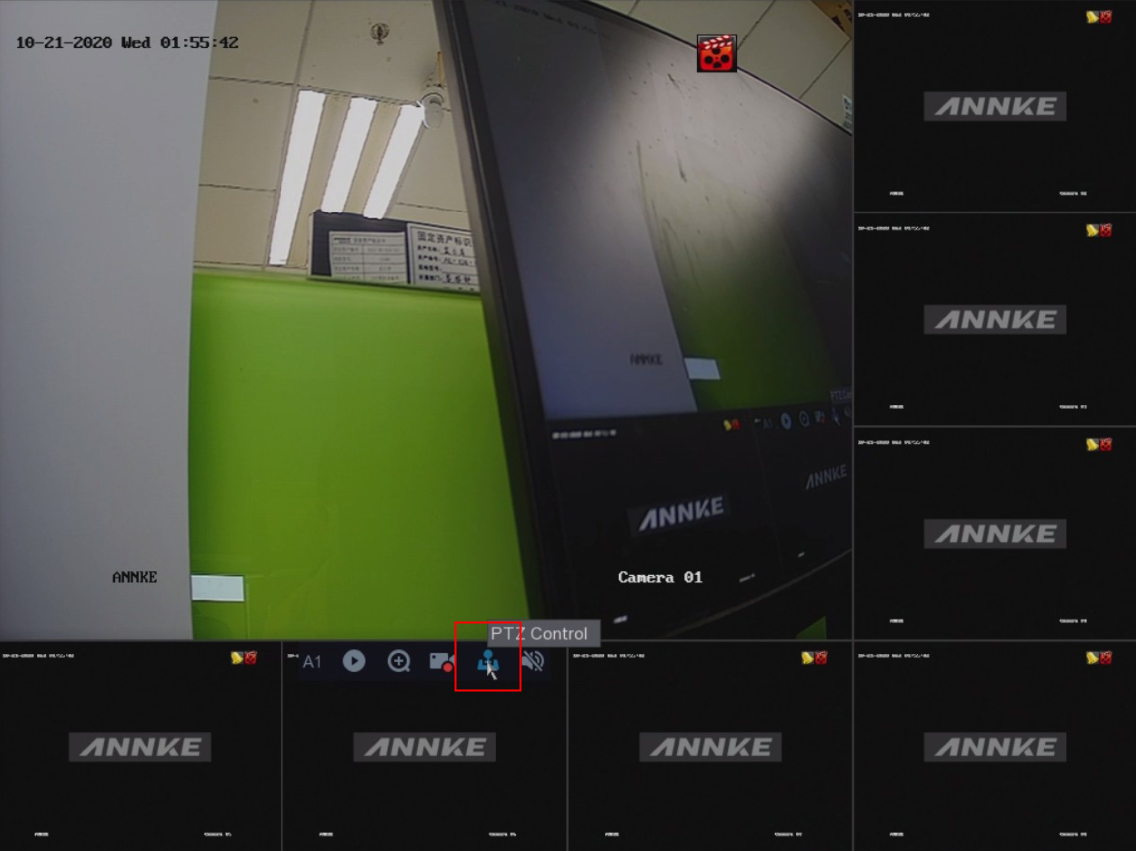
- Please access the system and click the PTZ Control button.
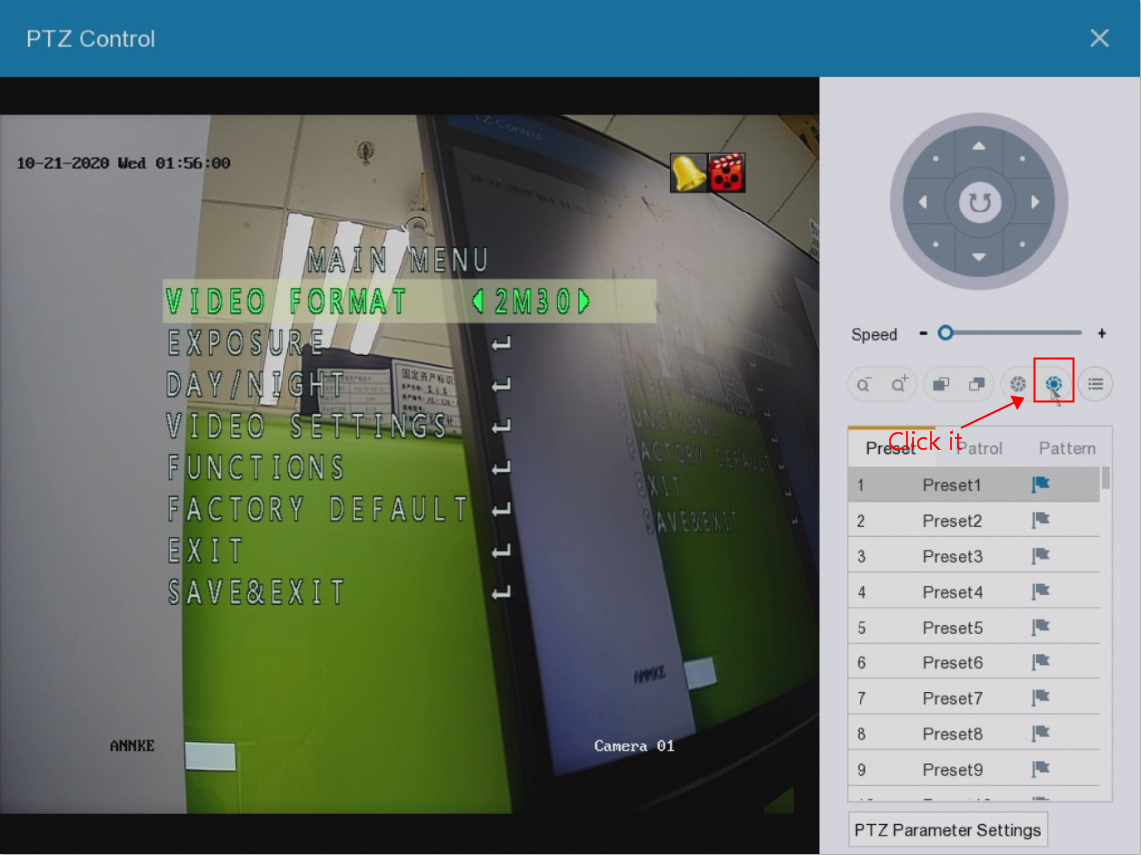
- On the PTZ Menu, please click the below icon to enter the Main Menu:
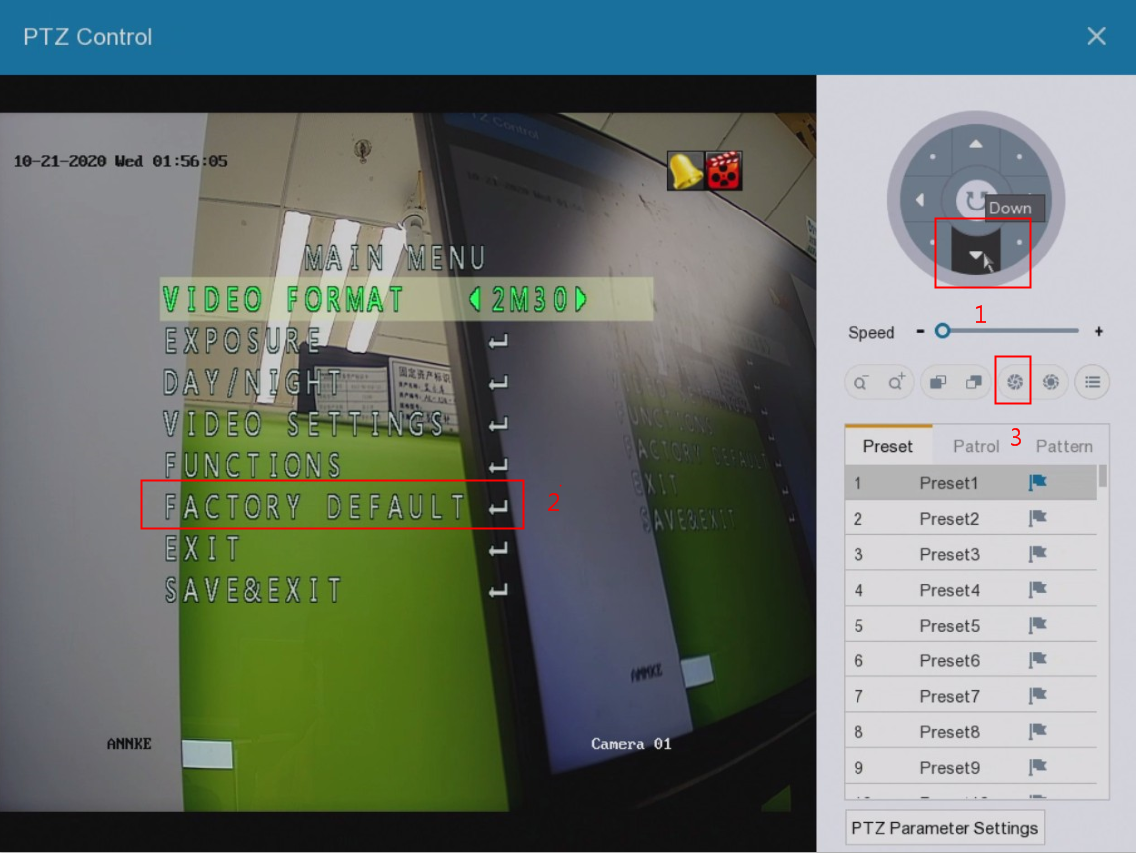
- After that, you could see the option FACTORY DEFAULT. Please click the down arrow icon to reach the option. After that, please click the "Iris-" icon to restore the settings of the camera.
Was this article helpful?
Bu bilgiler sorununuzu çözmeye yardımcı oldu mu?
Thanks for your feedback!
Still need help?
Uzman ekibimiz size yardımcı olmak için burada.