Annke Vision - How to Playback and Download Recordings from ANNKE POE Cameras on the Computer? (Without NVR)
Applies to: I81FB/I81HC/I91BK/I81HB/I51DE/I51DF/I51DK/I51DB/I51DD/I51DJ/I51DL/I51DN/I51DM/I51DP/I91BF/I91BE/I91BG/I91BM/I91BN/I91BL/I41BK/B1200/NC400/CZ400
Purpose: When using the ANNKE POE Cameras without NVR, we can access the camera's webpage to playback and download the recordings on the SD card.
Before this instruction:
1. Connect the camera to a 12V DC power supply and to a broadband router by ethernet cable.
2. Run the SADP software on a computer in the local network. SADP will show the camera's IP address. Input the IP address in the IE browser (short for Internet Explorer browser).
3. Input the user name and password of the camera to log in to the camera's webpage.
Recordings playback:
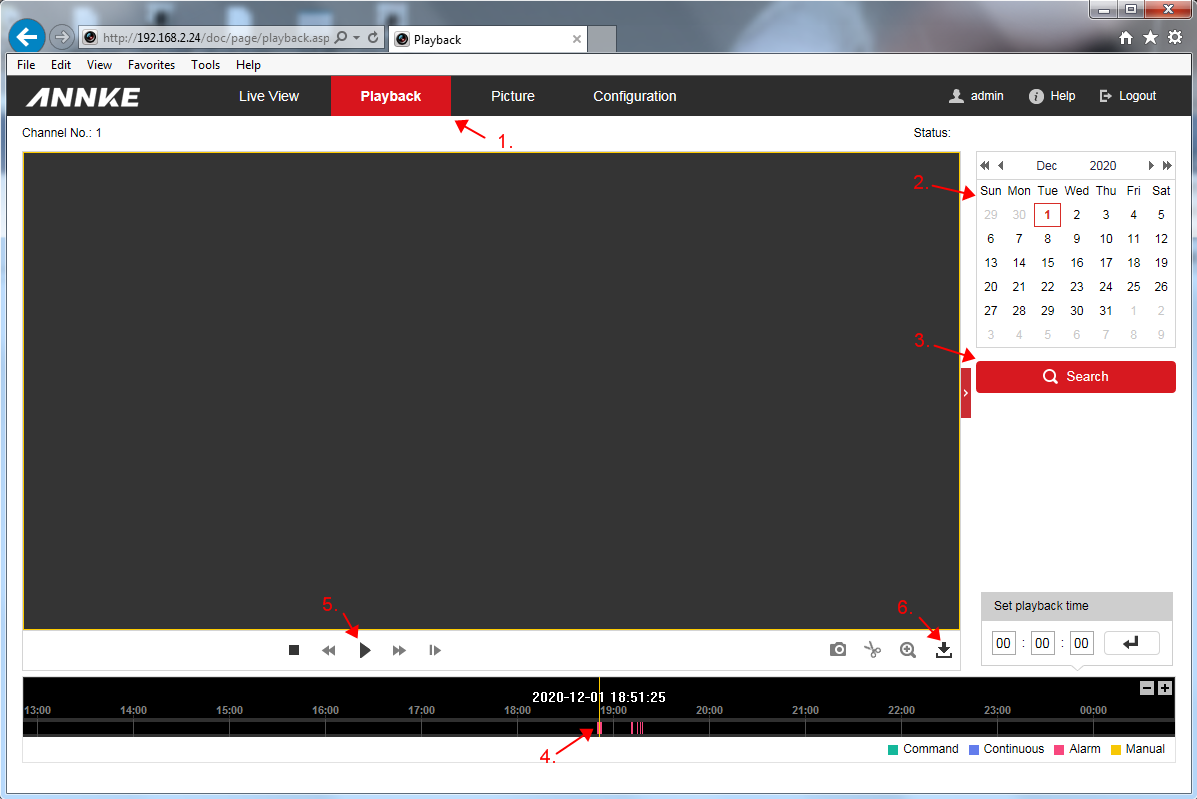
1. Navigate to the [Playback] tab.
2. Select the date of the recordings.
3. Click [Search]
4. Move the slider on the timeline to locate the recordings
5. Click the play button to watch
6. Click the download icon to enter the download screen.
Recordings download:
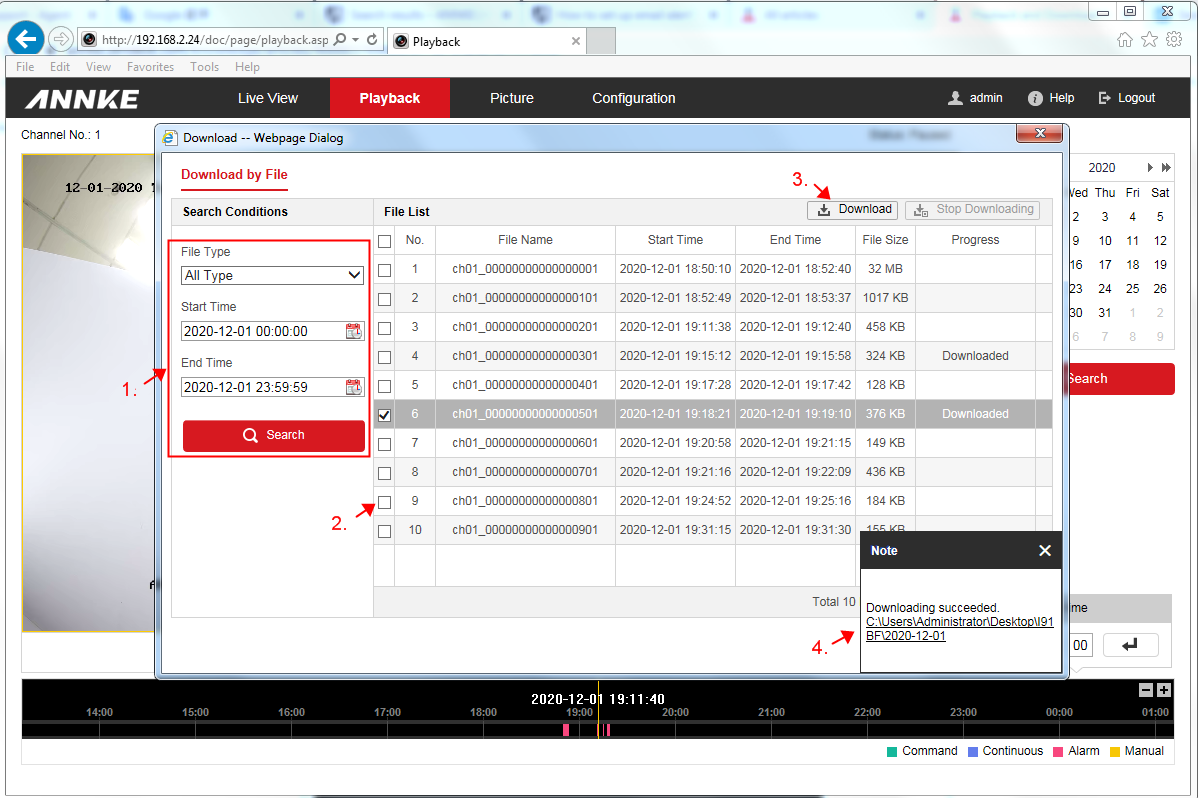
After clicking the download button on the playback screen, you will see the Download window.
1. Choose [File Type], set [Start Time] and [End Time], click [Search] to locate the recordings you need.
2. Tick the recording you would like to download.
3. Click [Download]
4. When the download finished, a notification message will pop up to show the location of downloaded files.
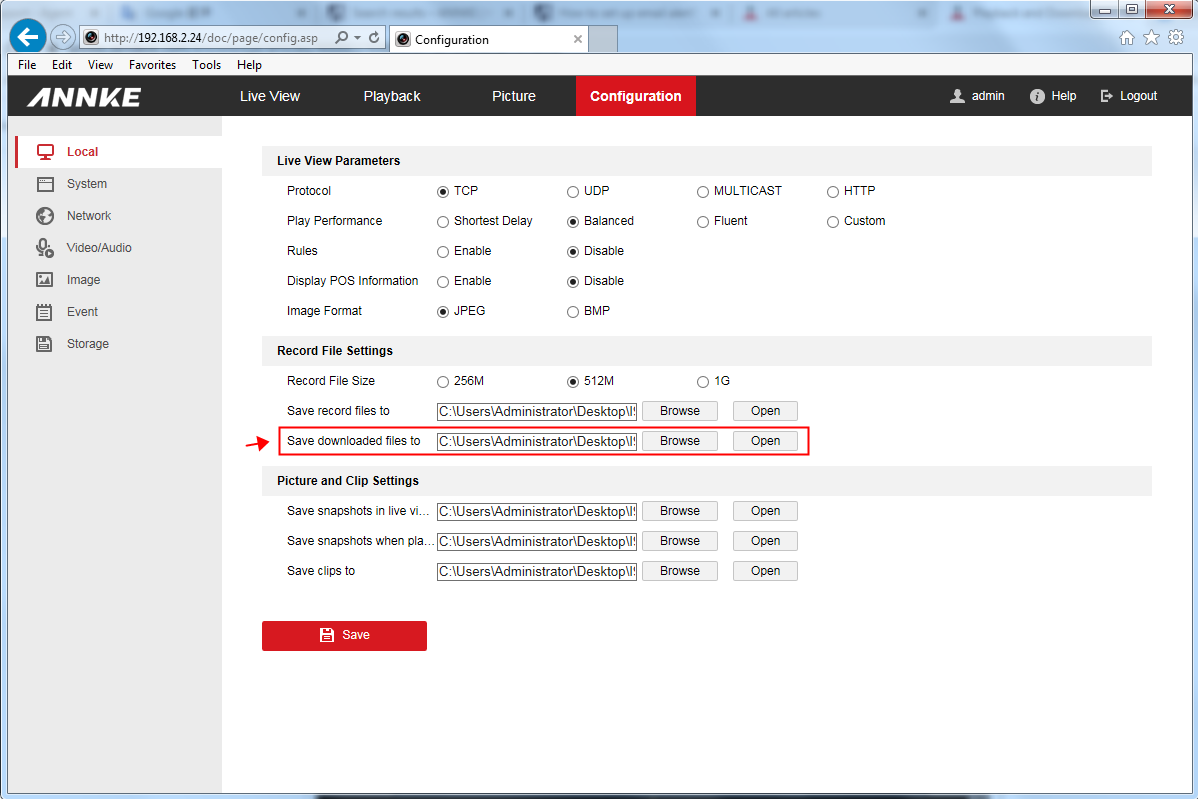
Note 1: The download location needs to be set up before downloading. Otherwise, the download will fail.
Setting route: [Configuration--Local--Save downloaded files to]
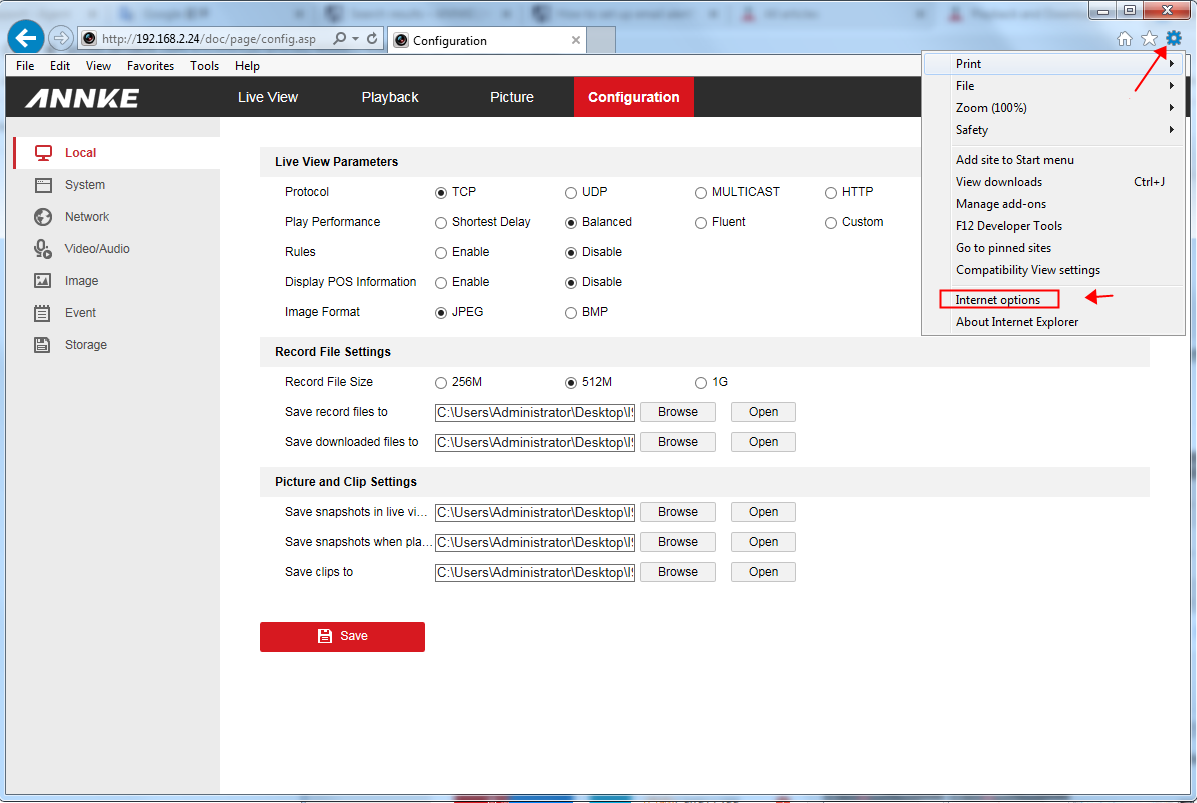
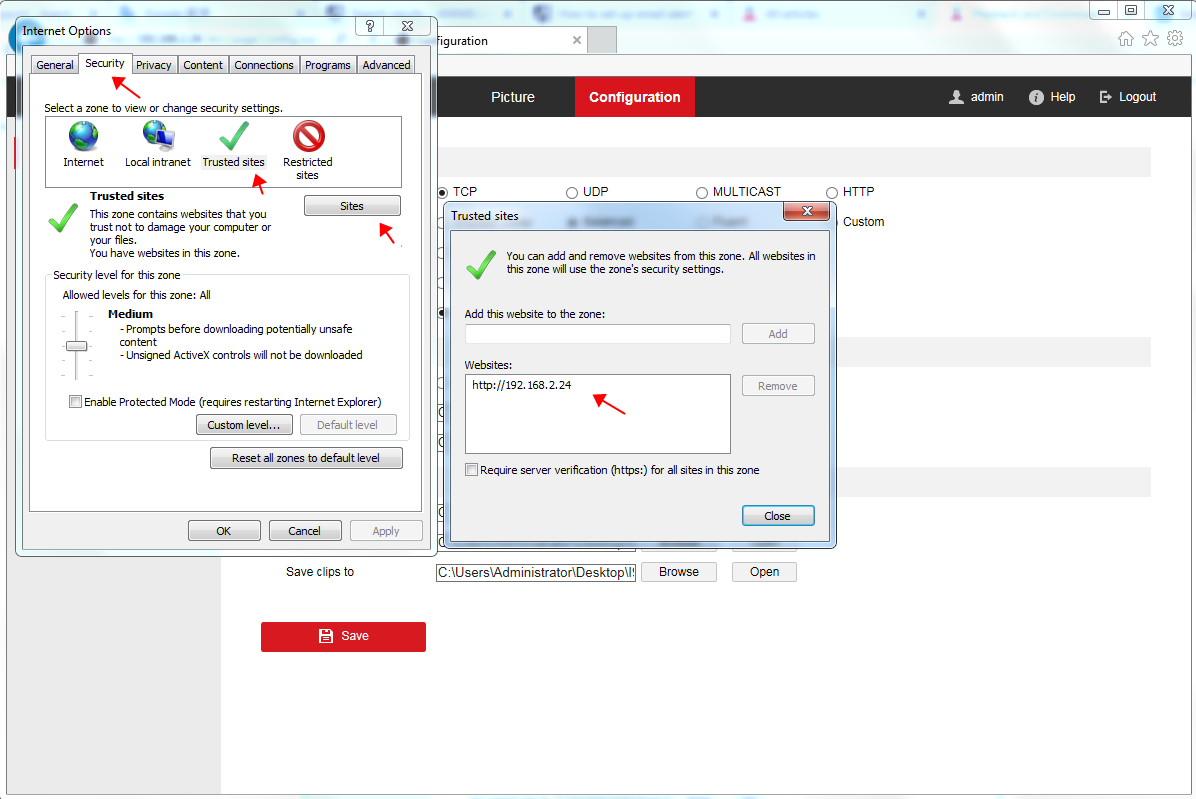
Note 2: If the download still fails after you set a valid download location, add the camera's IP address to IE browser's trusted site list and try again.
Setting Route: [Gear icon--Internet options--Security--Trusted sites--Sites]
If you find this article helpful, please click 'Yes' at the end of this article;
If you have any suggestions or questions for this article, please leave a comment in the below comment zone.
Was this article helpful?
Bu bilgiler sorununuzu çözmeye yardımcı oldu mu?
Still need help?
Uzman ekibimiz size yardımcı olmak için burada.