Annke Vision - How to Back up the Video to the USB Stick?
Applies to:
DT41Y/DT61Y/DT81Y/DN41R/DN61R/DN81R/DT41GB/DT81GB/DT61GB/DW41JD/DW61LD/DT81DP/N48PI/N44PI/N46PI/N44PAM/N88PCH/S500/S300/FC200/NCK800/H800/H500
To export the video to your USB stick or external hard drive, please follow the steps below to back up the record.
1. Plug a USB stick or external hard drive into the USB port.
The USB stick must be formatted to FAT32 format in advance.
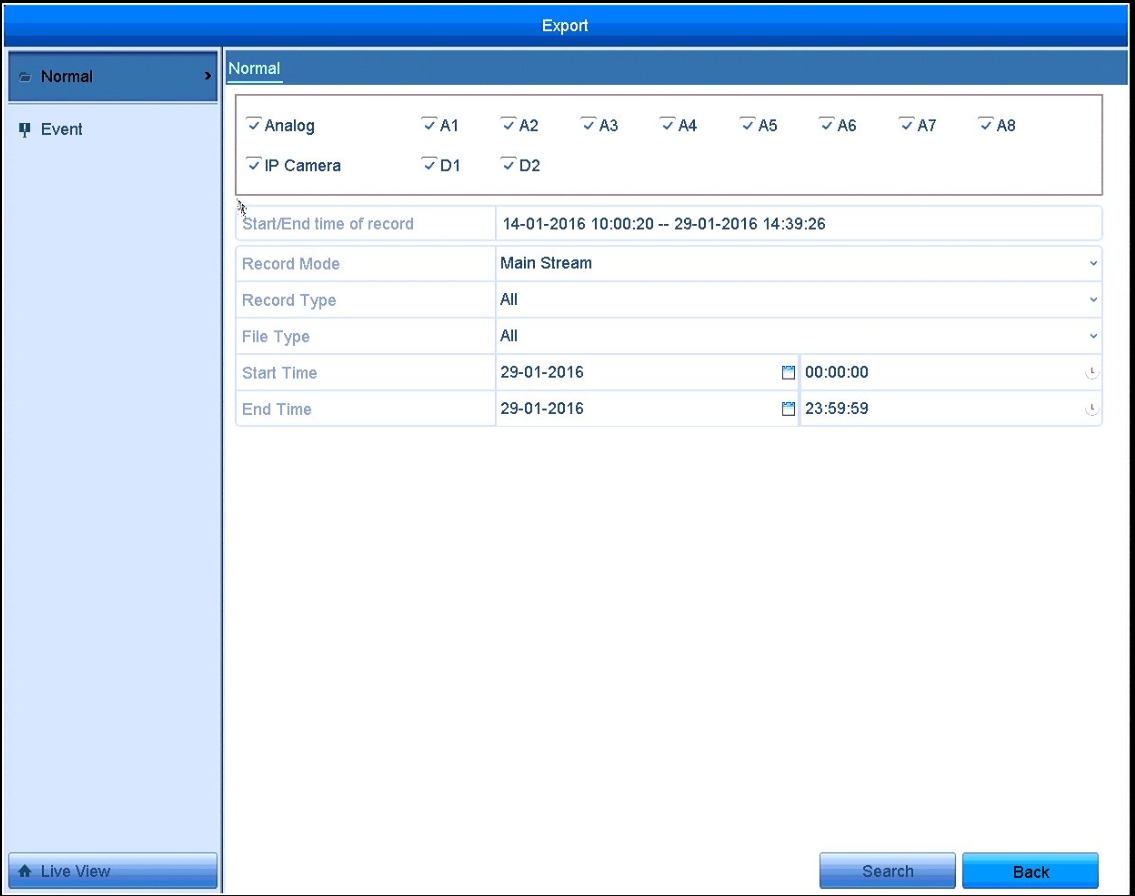
2. Go to the Main menu - Export - Normal to choose the channel, start time, end time, record mode, record type, and file type. Click to search the file.
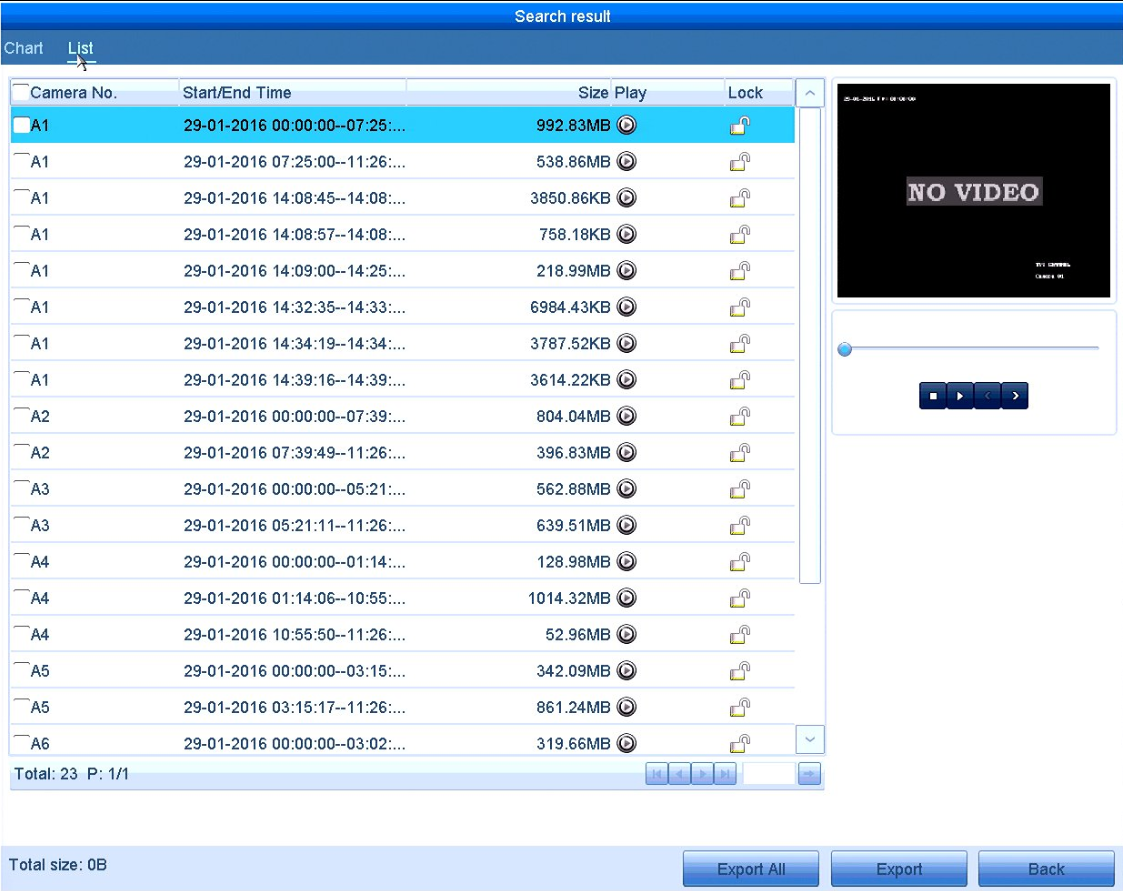
3. When the result is found, choose the channel and record you want to back up. Click Export.
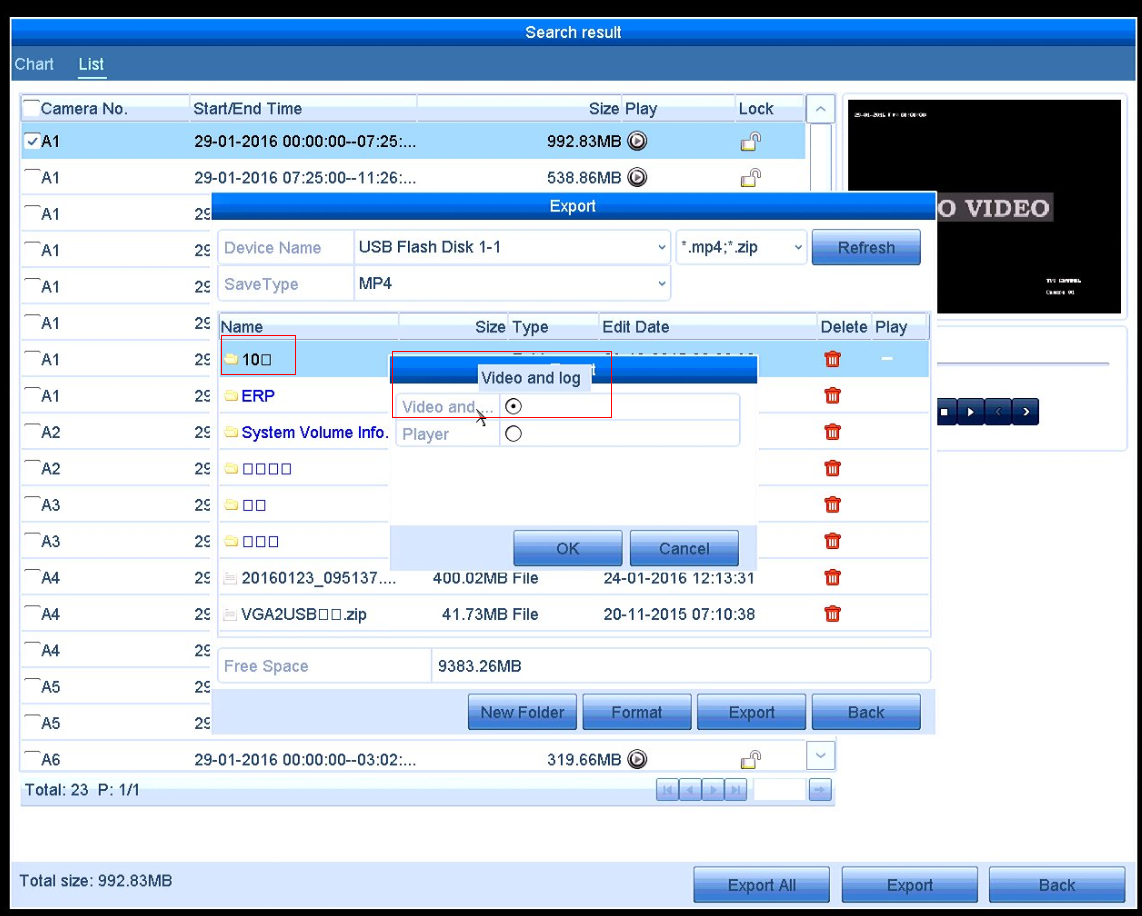
4. When your USB recognized by the system it will show the file on your USB stick, choose the Save Type and folder, click Video and log, Click export to back up the recording.
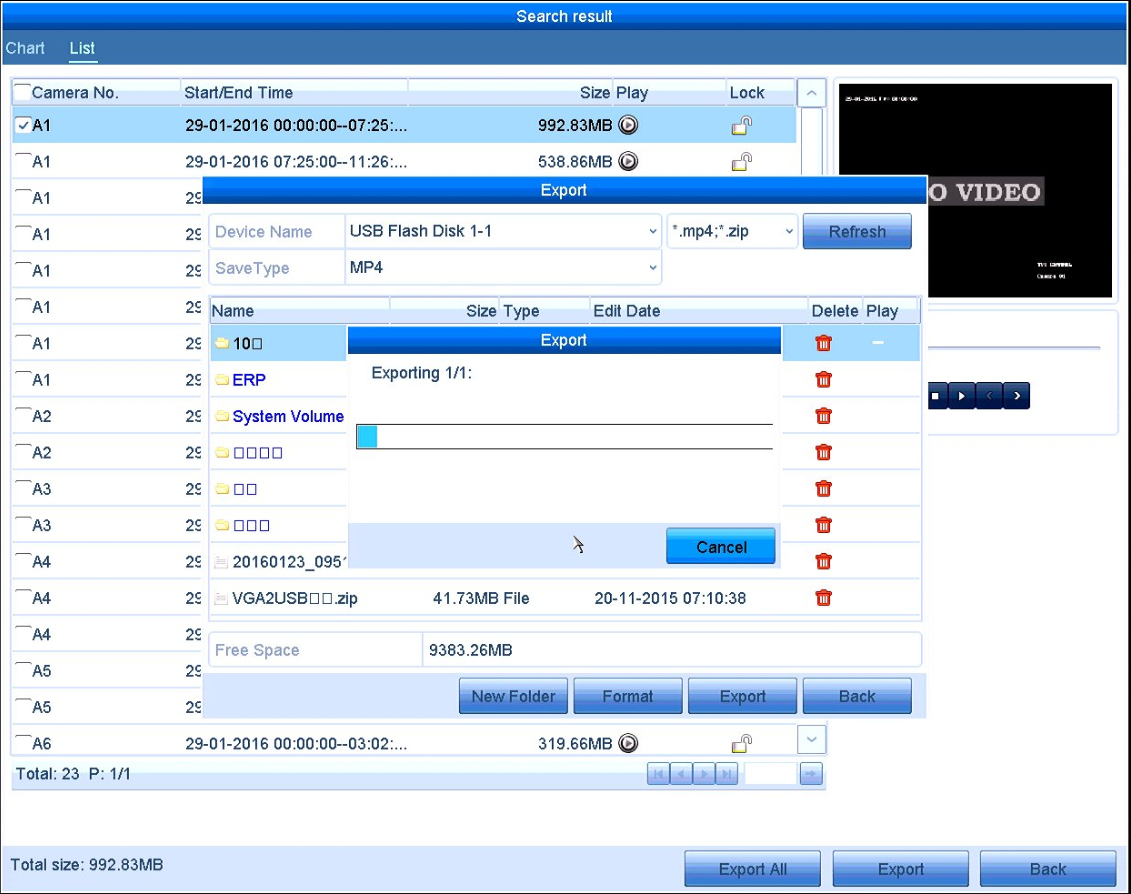
After you finished export, you can play the video in your PC.
Was this article helpful?
Bu bilgiler sorununuzu çözmeye yardımcı oldu mu?
Still need help?
Uzman ekibimiz size yardımcı olmak için burada.