Annke Vision - How to Activate ANNKE DVR/NVR on a Web Browser?
Applies to:
DT41Y/DT61Y/DT81Y/DN41R/DN61R/DN81R/DT41GB/DT81GB/DT61GB/DW41JD/DW81KD/DW61LD/DT81DP/N48PI/N44PI/N46PI/N44PAM/N48PAW/N46PCK/N88PCH
Purpose:
When using the ANNKE DVR/NVR for the first time, we recommend activating it on a TV/Monitor via HDMI/VGA connection.
In case you would like to/can only do it via Web browser, below is the instruction.
Steps:
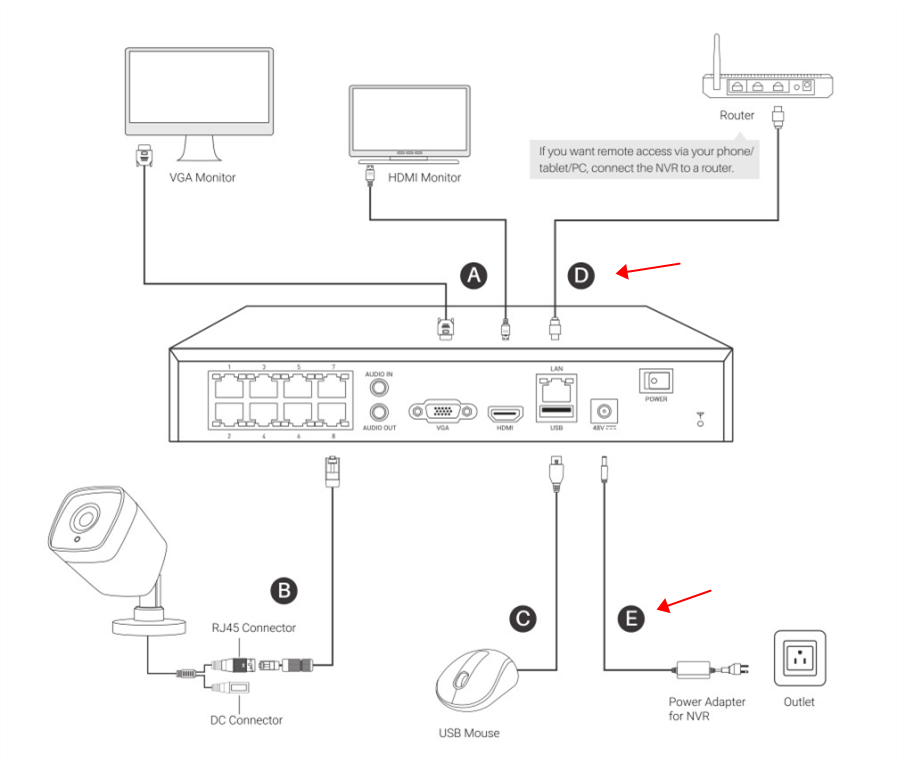
1. Connect your ANNKE DVR/NVR to the power supply and to the router via ethernet cable.
2. Download the SADP software and install it on your computer.
For Windows: https://download.annke.com/CMS/SADP_v3.0.2.4.zip
For Mac: https://download.annke.com/document/Computer_Software/SADPTool.pkg.zip
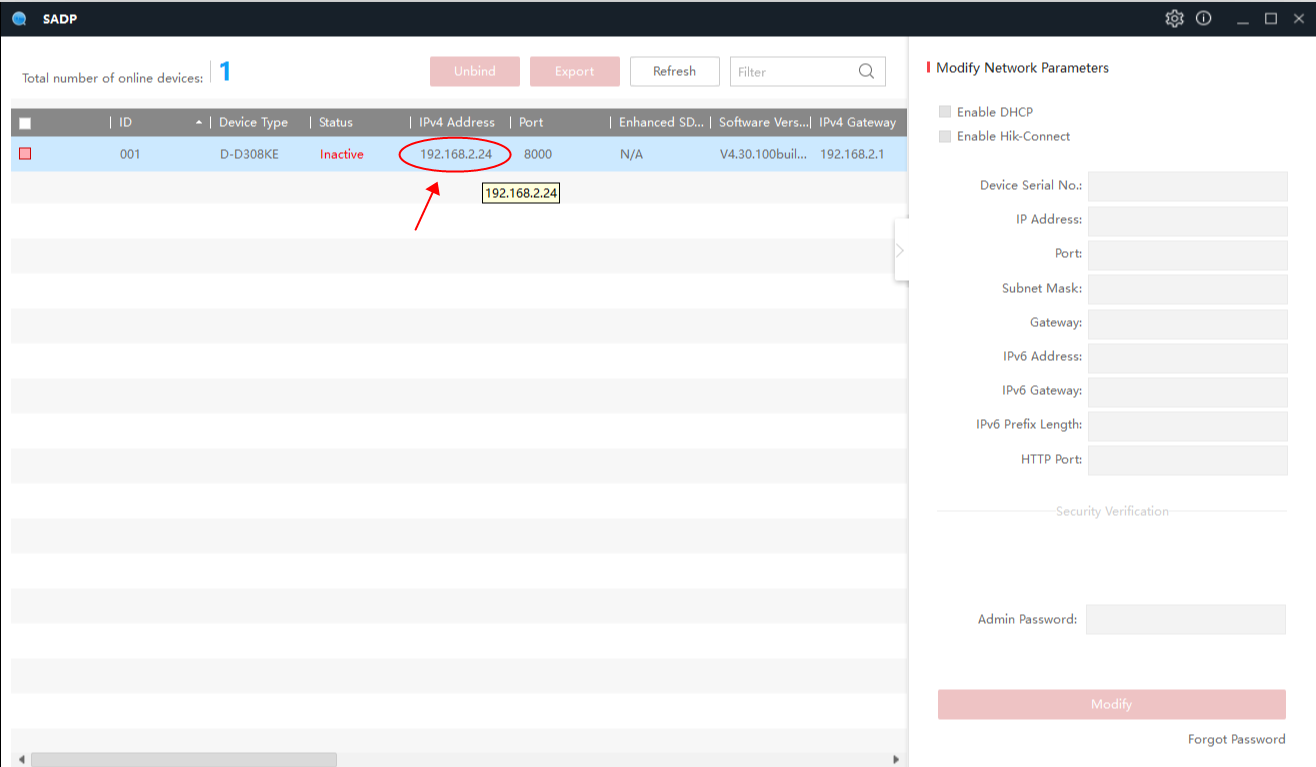
3. Run the SADP software. It will recognize your ANNKE DVR/NVR in the local network and show its IP address.
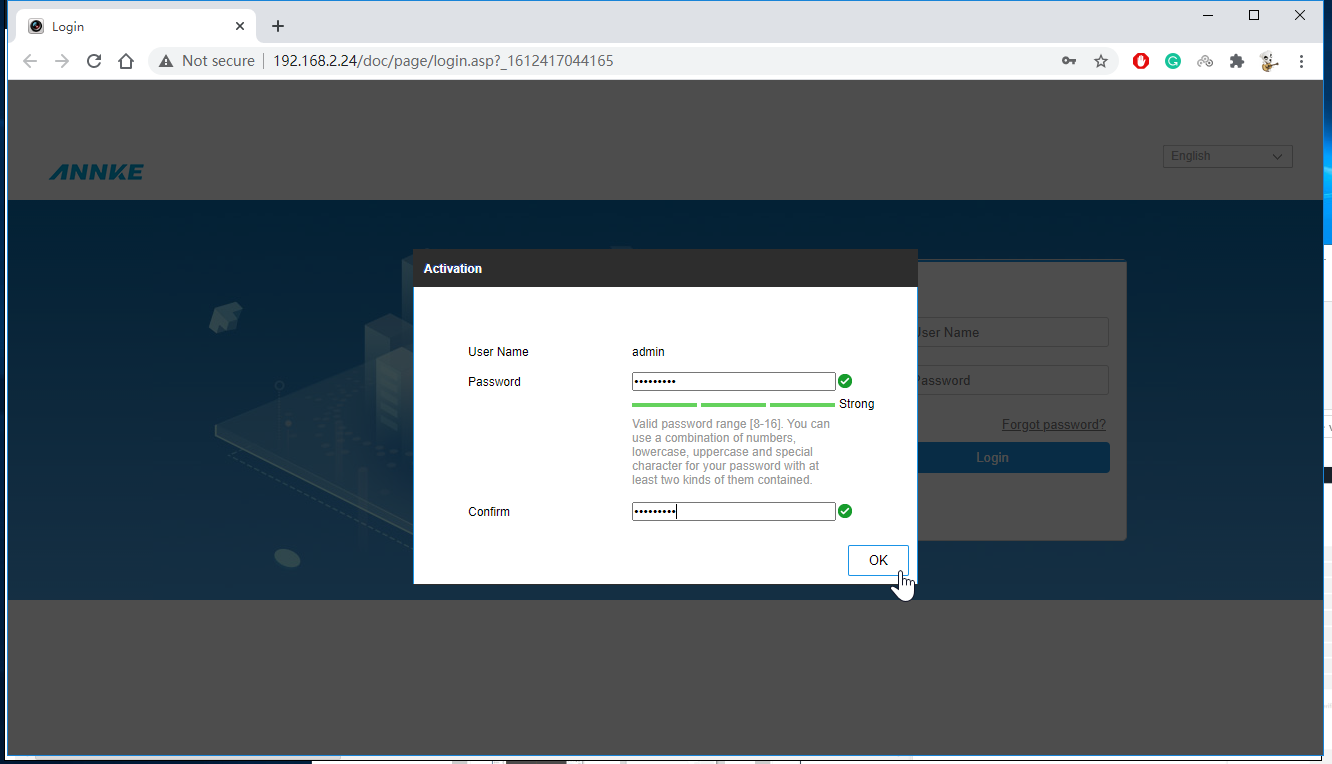
4. Type the IP address in your Web browser to visit the ANNKE DVR/NVR.
4-1) Input a new password in the Activation window and confirm it. This will be the admin password of your ANNKE DVR/NVR.
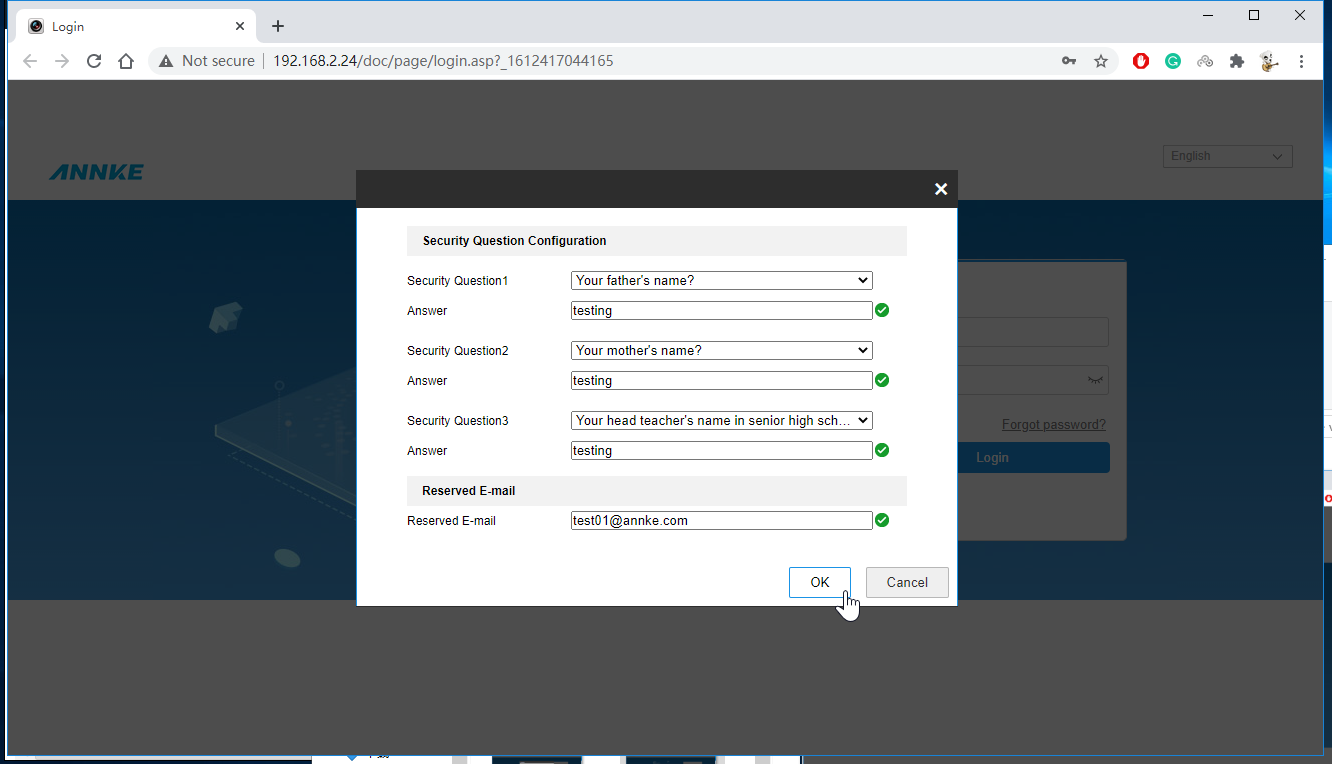
4-2) Setup Security Questions and Reserved E-mail, then click OK.
Note: The Security Questions and the Reserved E-mail will be helpful when you need to retrieve the admin password, please take note of them if necessary.
5. Now the activation has finished. You can see the Web interface of your ANNKE DVR/NVR.
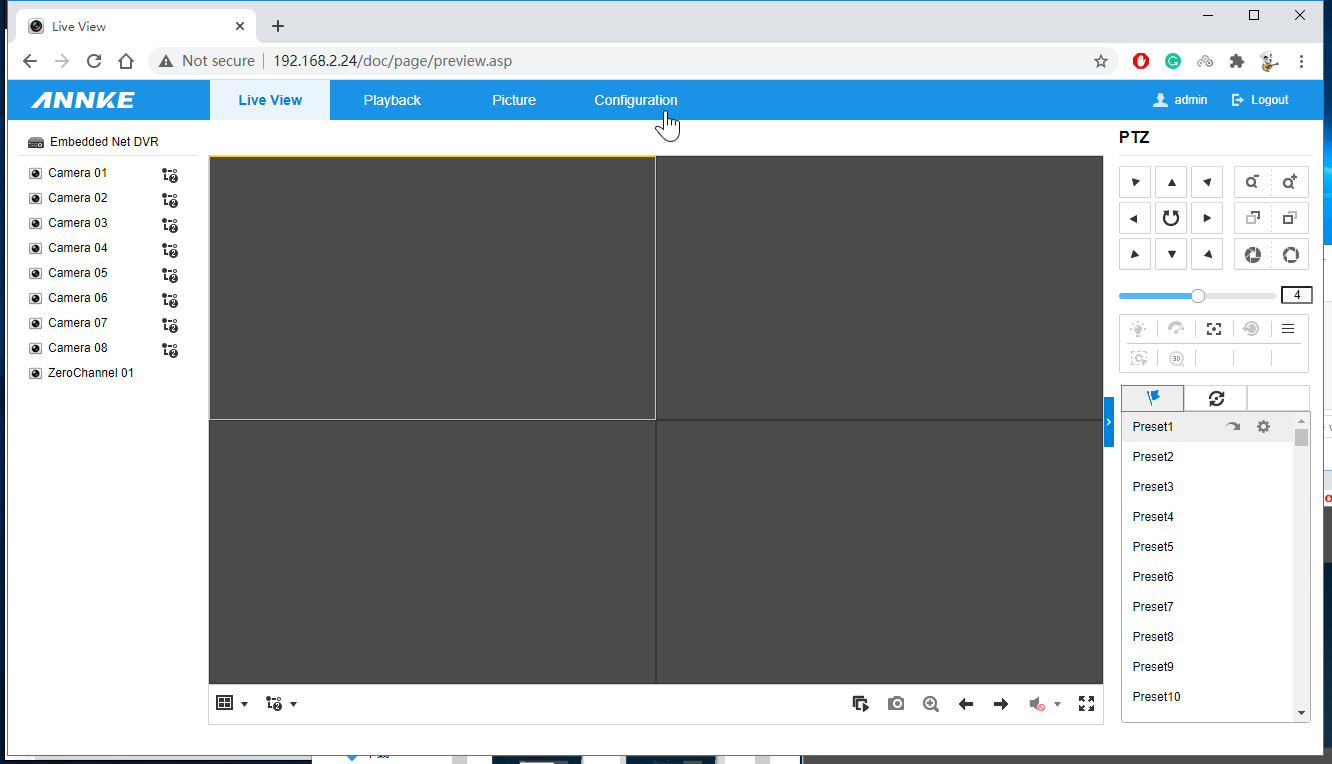
6. If you need Remote Access to your ANNKE DVR/NVR...
Please enable the Platform Access by following below:
6-1) On the Web interface of your ANNKE DVR/NVR, navigate to Configuration->Network->Advanced Settings->Platform Access.
6-2) Tick on Enable, type a new code in the boxes Verification Code and Confirm Verification Code. Click OK.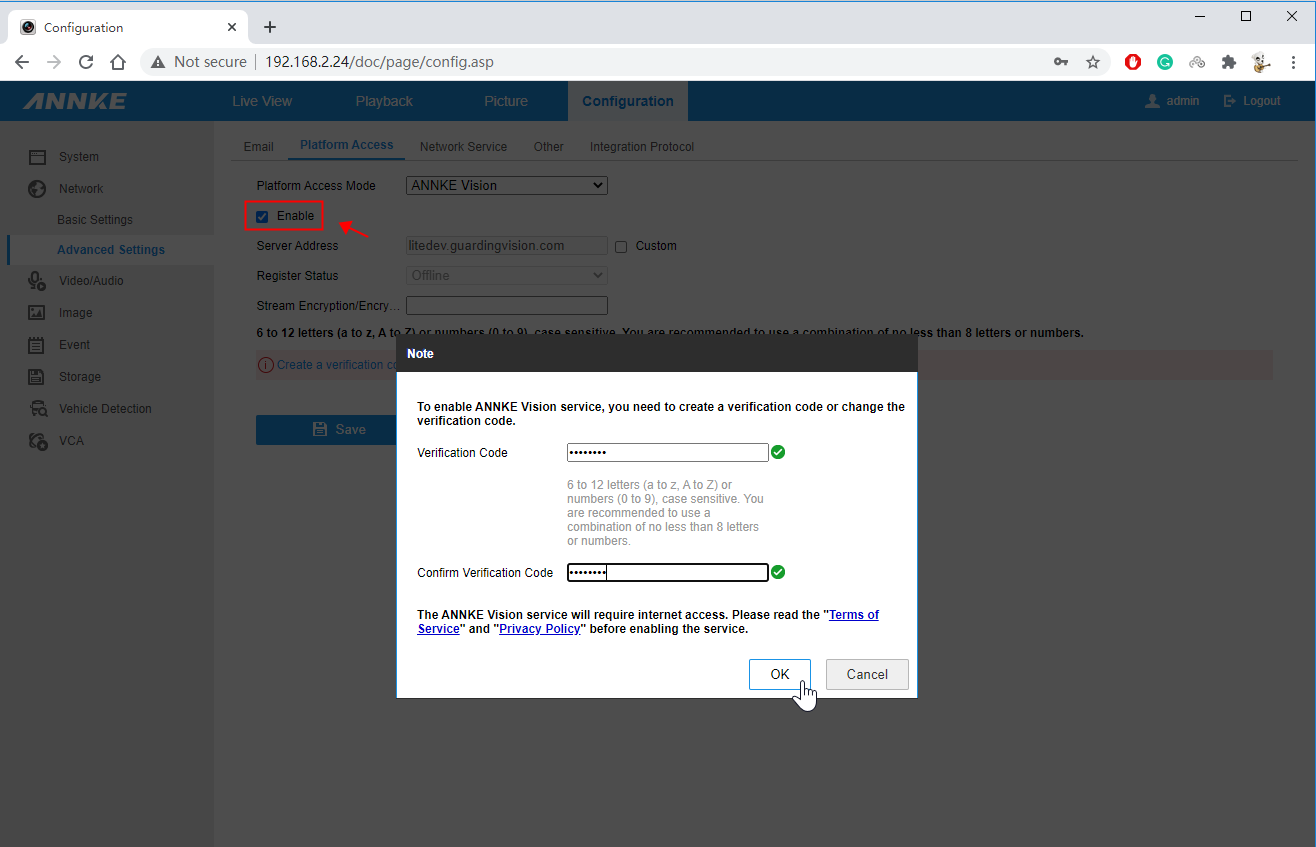
6-3) Refresh the webpage. When the Register Status becomes 'Online', your ANNKE DVR/NVR is ready for remote access.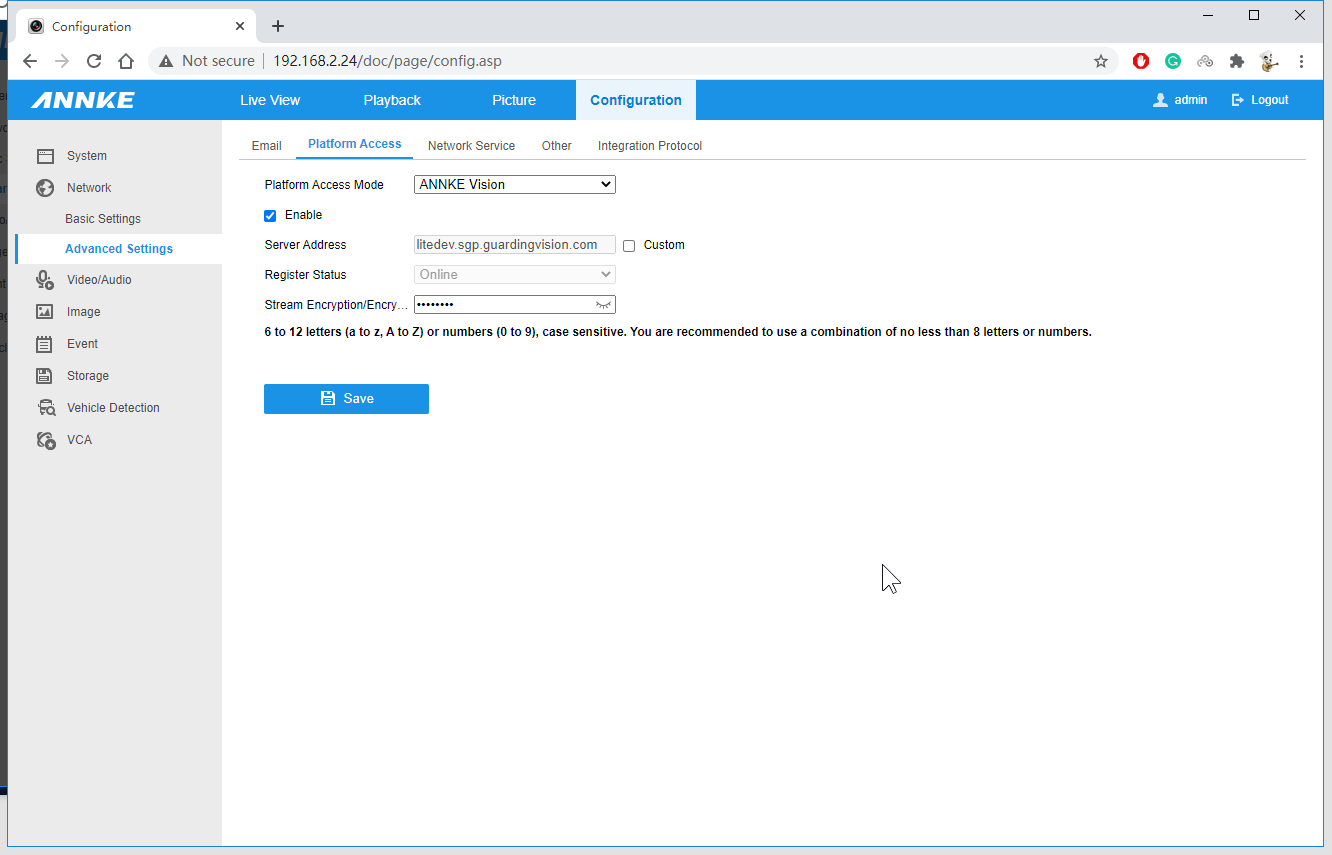
Was this article helpful?
Bu bilgiler sorununuzu çözmeye yardımcı oldu mu?
Still need help?
Uzman ekibimiz size yardımcı olmak için burada.