Annke Vision - Auxiliary Functions of Playback Frame by Frame on Annke NVR/DVR
20 Aug 2026
386 views
Applies to: N48PI/N44PI/N46PI/N44PAM/N48PAW/N46PCK/N88PCH/DT41Y/DT61Y/DT81Y/DN41R/DN61R/DN81R/DT41GB/DT81GB/DT61GB/DW41JD/DW81KD/DW61LD/DT81DP/S500/S300/FC200/NCK800/H800/H500
Purpose: Play video files frame by frame, in case of checking image details of the video when abnormal events happen.
Before you start:
- You should log in to your device.
- Click Menu > Playback > Normal
Steps:
1. Go to the Normal Playback interface.
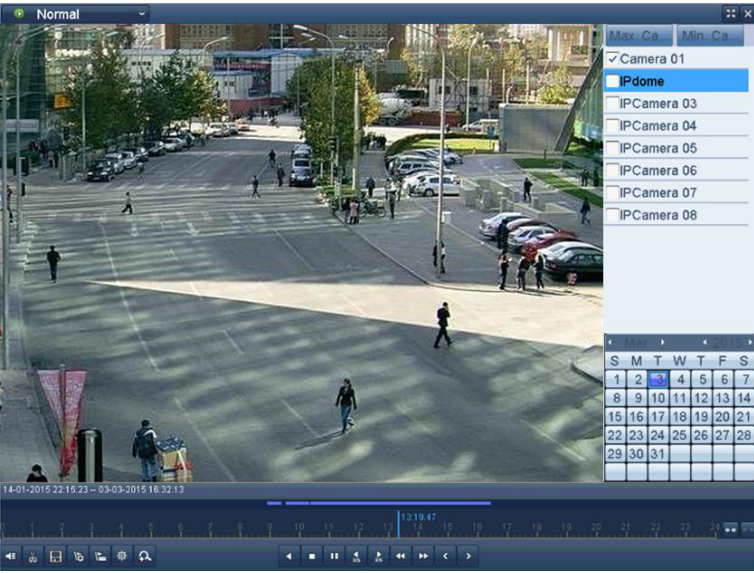
2. Use a Mouse
- If you choose playback of the record file: click the button
 until the speed changes to Single frame and one click on the playback screen represents playback of one frame.
 - If you choose reverse playback of the record file: click button
 until the speed changes to Single frame and one click on the playback screen represents reverse playback of one frame.
Note: It is also feasible to use button  to stop playing in the toolbar.
to stop playing in the toolbar.
Was this article helpful?
Bu bilgiler sorununuzu çözmeye yardımcı oldu mu?
Thanks for your feedback!
Still need help?
Uzman ekibimiz size yardımcı olmak için burada.