Annke Vision - Adding and Editing Tag on Annke DVR/NVR
20 Aug 2026
409 views
Applies to: N48PI/N44PI/N46PI/N44PAM/N48PAW/N46PCK/N88PCH/DT41Y/DT61Y/DT81Y/DN41R/DN61R/DN81R/DT41GB/DT81GB/DT61GB/DW41JD/DW81KD/S500/S300/FC200/NCK800/H800/H500
Purpose: Video tag allows you to record related information like people and the location of a certain time point during playback, the below article will tell you how to set up a tag(s).
Before you start:
- You should log in to your account.
- Click Menu > Playback > Normal, enter Normal Playback interface.
Steps:
1. Search and playback the record file(s).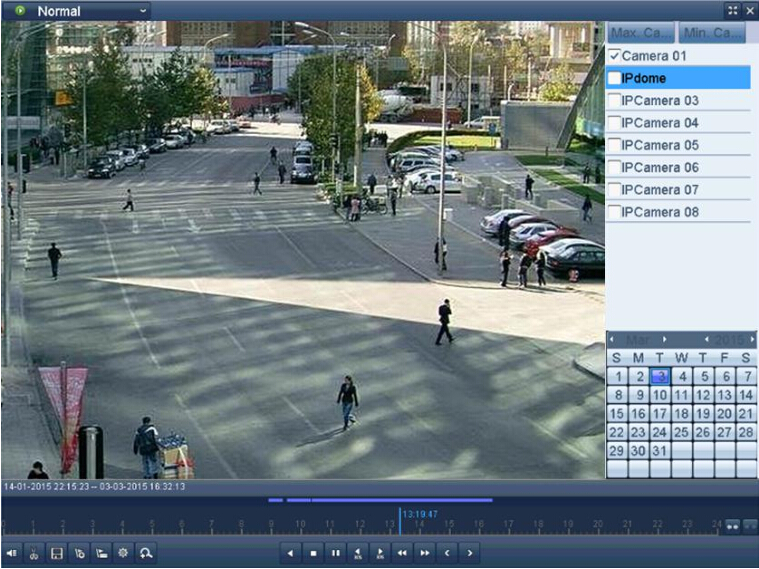
- Click
 button to add the default tag.
 - Click
 button to add the customized tag and input tag name.
Note: Up to 64 tags can be added to a single video file.
2. Tag management.
- Click
 button to check, edit and delete tag(s).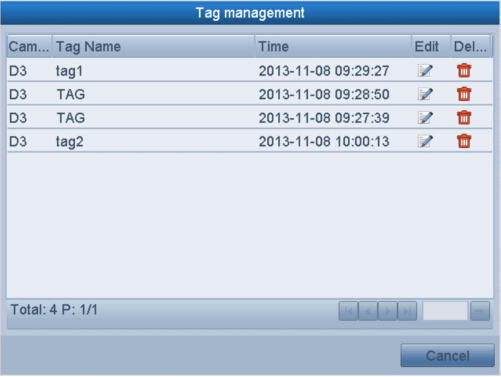
Was this article helpful?
Bu bilgiler sorununuzu çözmeye yardımcı oldu mu?
Thanks for your feedback!
Still need help?
Uzman ekibimiz size yardımcı olmak için burada.