Annke Sight - Common settings of the Annke Sight phone app
Applies to: N44WBF
1. Device storage
Please insert the TF card into your base station at first. After inserting the TF card, the system defaults to mobile recording.
a. Touch Setup on the My Device page of the app.
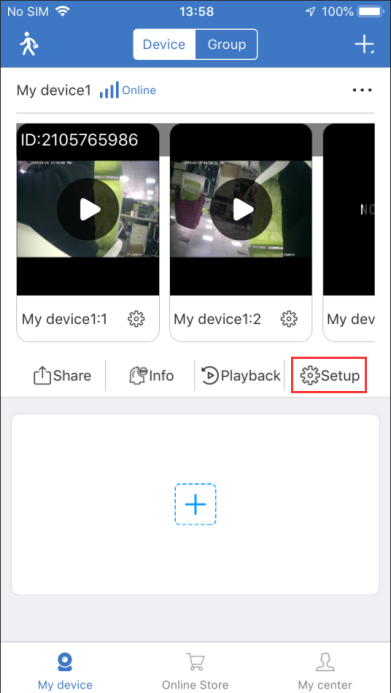
b. Touch the Storage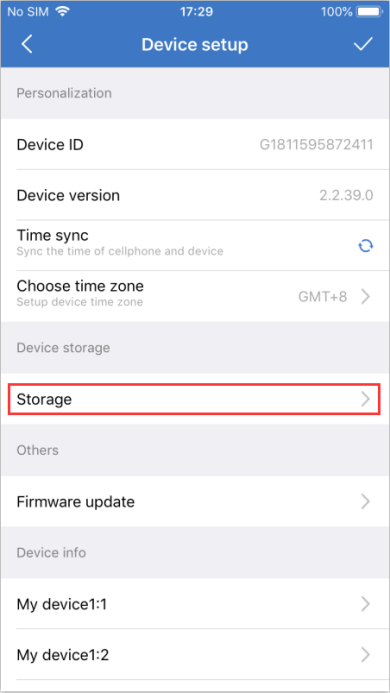
c. Touch Format, the TF card will be formatted automatically, then the TF card status will become Normal after the format is completed.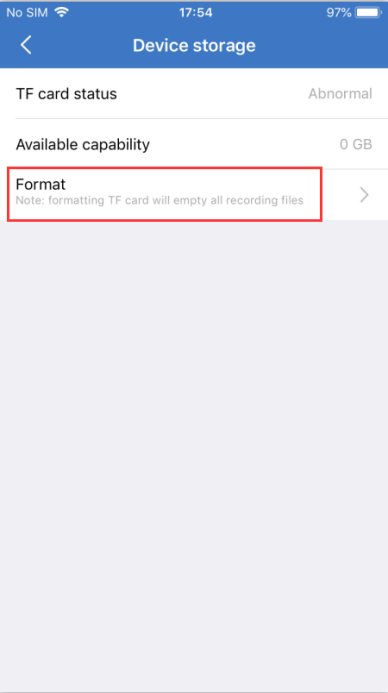
Note: Formatting the TF card will erase all recordings.
2. Motion-triggered recording and push notification
a. Touch on the channel Setup icon
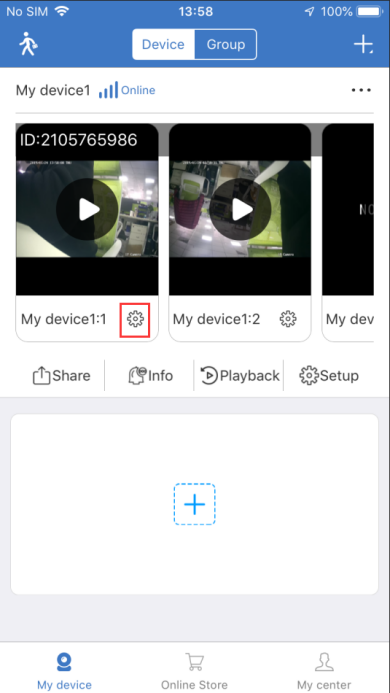
b. The Push and Recording function is enabled by default. 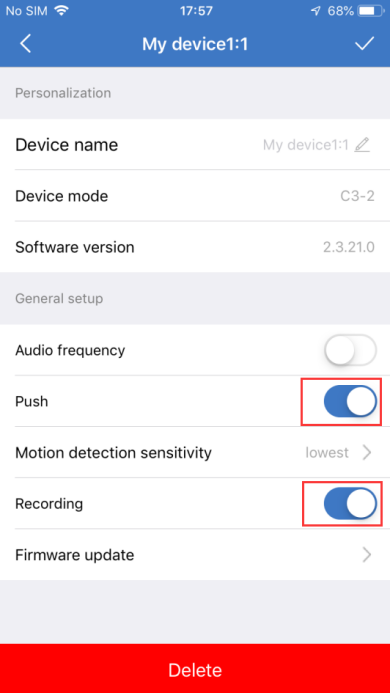
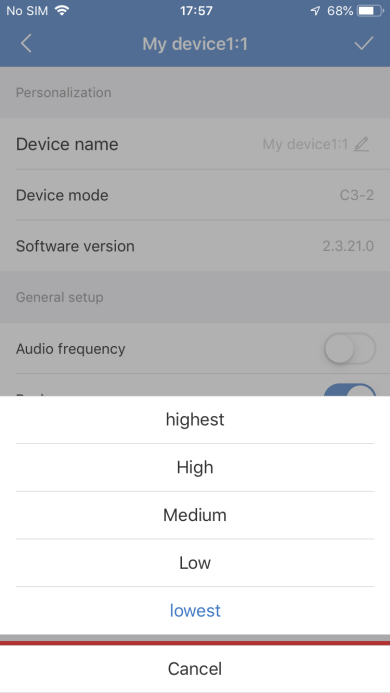
c. Click on Motion Detection Sensitivity and set different sensitivity as needed.
3. Remote Playback
a. Touch on Remote Playback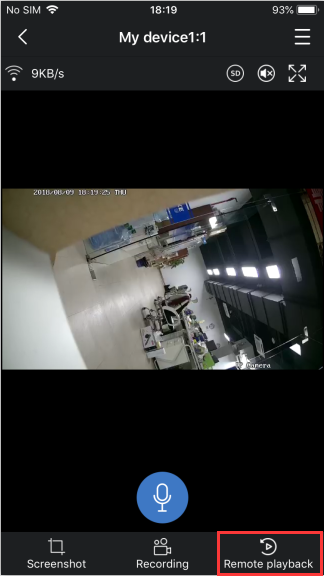
b. Drag the time bar to select the corresponding image view.
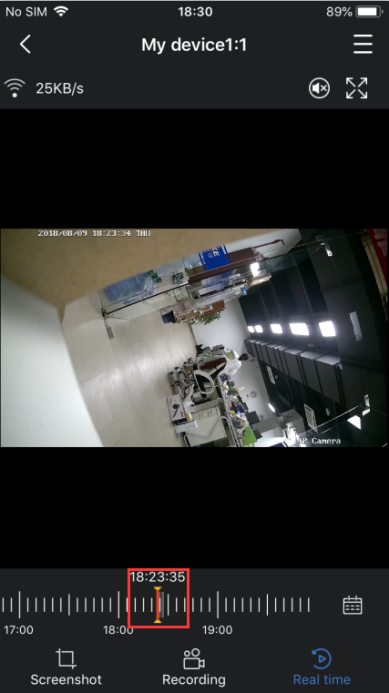
Note: The TF card has been inserted into the device and a recording file has been generated.
Was this article helpful?
Bu bilgiler sorununuzu çözmeye yardımcı oldu mu?
Still need help?
Uzman ekibimiz size yardımcı olmak için burada.