
All DAHUA Firmware Download
-
Dahua Security Firmware Update
How to Update Firmware via ConfigTool 3.20
Description
- Update Fimrware via ConfigTool 3.20
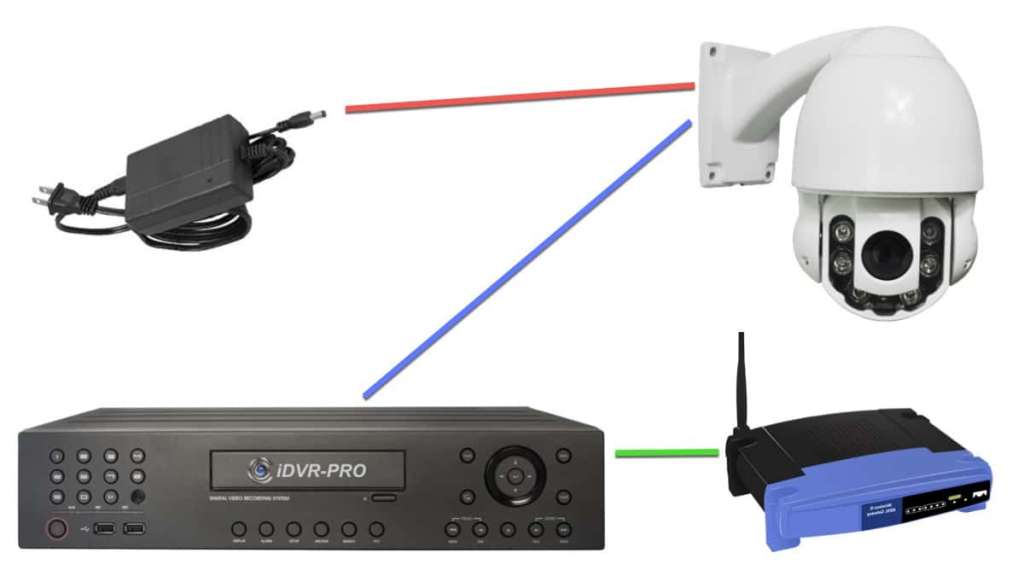
- Note: If your IP Camera is connected to the back of an NVR, these instructions will not apply. Please see, “How to Connect IP Camera to NVR“
Prerequisites
- Firmware for Specific Model
- ConfigTool 3.20
ConfigTool download - Windows PC.
- Dahua Devices on the same LAN as the PC for using the ConfigTool.
Video Instructions
Step by Step Instructions
Download the config tool from the DahuaSecurity.com website.
For Local Network upgrade.
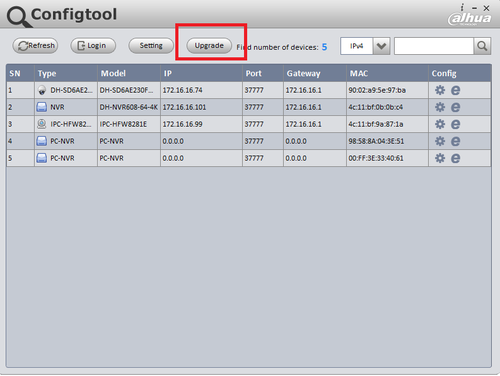
Step 1. Select “Refresh” to find Dahua devices on local network. You may manually input the IP of the Dahua device manually by selecting “Login”. You may also use the manual login option to login in remote devices outside your local network.

Step 2. Select “Upgrade”

Step 3. Select device to be upgraded → Open the file location of the firmware → Select “Upgrade”.

Device will reboot.
For Remote Dahua device Upgrade using Manual Login.
Step 1. Select “Login” → input external IP address of Dahua Device → Login with credentials → input HTTP port → select “OK”.

Step 2. Select “Upgrade” → Select file location of the firmware → select “Upgrade”

Firmware files for various Dahua models are listed below.
For instructions, please download the firmware update guide, or watch this video:
HCVR4104HS-S3
HCVR5104C-S2
HCVR5104HE-S2
HCVR5104HS-S3
HCVR5108HE-S2
HCVR5208A-S2
HCVR5208A-S3
HCVR5216A-S3
HCVR5416L-V2
HCVR5432L-S2
HCVR5832S-S2
HCVR7104C-S3
HCVR7104H-4M
HCVR7104HE-S2
HCVR7108HE-S2
HCVR7208AN-4M
HCVR7216AN-4M
HCVR7416LNVR1104-P
NVR4104-P
NVR4104-P-4KS2
NVR4108-8P
NVR4208-8P
NVR4208-8P-4K
NVR4208V-8P
NVR4216-8P
NVR4216V-8P
NVR4408-8P
NVR4416-16P
NVR4416-16P-4K
NVR4816-16P-4K
NVR4832
NVR4832-16P
NVR5208-8P-4KS2
NVR5416-16P-4KS2
NVR5832-16P-4KS2
NVR608-32-4K
NVR608-32-4K-S2
NVR608-64-4K
NVR608R-64-4K
NVR616R-128-4KXVR5104C
XVR5104C-S3
XVR5104HE
XVR5208A
XVR5216A
XVR5432L
XVR5832S
XVR7416L


Did this security guide help you?
Rate this article to help fellow engineers find the best guides.

Alex Vance
Senior Security Systems Architect & IoT Consultant with over 15 years in digital surveillance design.

Discussion (0)
No comments yet. Be the first to share your thoughts!
Leave a Comment